Real or Fake Claude Installer? How to Protect Against Claude Artifact Malware
Fake Claude AI downloads are showing up in phishing emails. See how one reached a new hire, why it looked legitimate, and how Zip Security stopped it.
Learn more

Josh Zweig
November 11, 2026
In this article
How many apps did you install during your first week at a new job? If one of them was an AI tool from a welcome email, you're not the only one.
On a new hire's first morning, a friendly note was waiting in their inbox: "Welcome! We use Claude Desktop here." So they went to the page, which looked identical to claude.ai and downloaded the app.
Here's the catch: anyone can publish a page on claude.ai using Claude's artifacts feature. Someone had used an artifact to share a copy of Claude Desktop with malware packaged inside. The app opened and worked normally, so nothing looked off.
Usually, this is where a story like this gets worse. This one didn't. Zip had already deployed CrowdStrike on every company device, so the malware was caught the moment it started running and the laptop was taken offline before any data could leave. There was no incident to report, no customers to notify, and no difficult conversation between the CEO and the new hire on their first day of work.
So, is Claude legit? Yes. Claude Desktop is a real app from Anthropic and the safe place to download it is claude.com/download. Below, we'll walk through what the phishing email looked like, why the fake Claude installer was so convincing, and how Zip stopped the malware before any sensitive data got out.
What did the Claude malware email look like and why did it almost work?
The Claude malware email looked like a routine welcome note and nothing about it was unusual during an onboarding week. It said "Welcome! We use Claude Desktop here," linked to a real claude.ai page, and asked for one quick download.
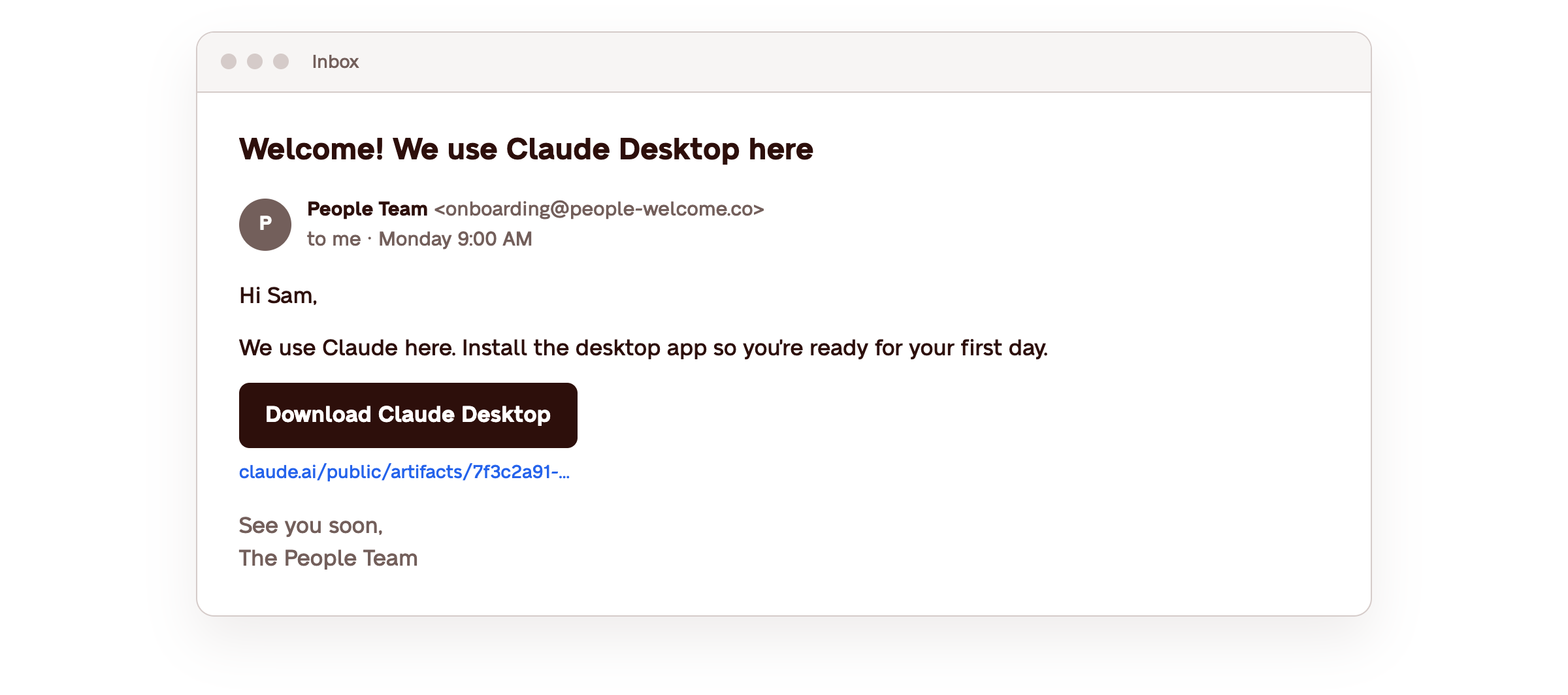
It's a textbook phishing email example: it borrows trust from a brand people already use and asks for one quick action. Here's how each part was built to pass a quick glance:
The email showed up when downloads are expected. A new hire's first week is mostly setup: a new laptop, new accounts, and a list of tools to install. When the tool is one everyone else already uses, one more download link doesn't raise questions. In phishing simulations, Keepnet found new hires were 44% more likely to fall for phishing than longer-tenured employees, with the first 90 days carrying the most risk.
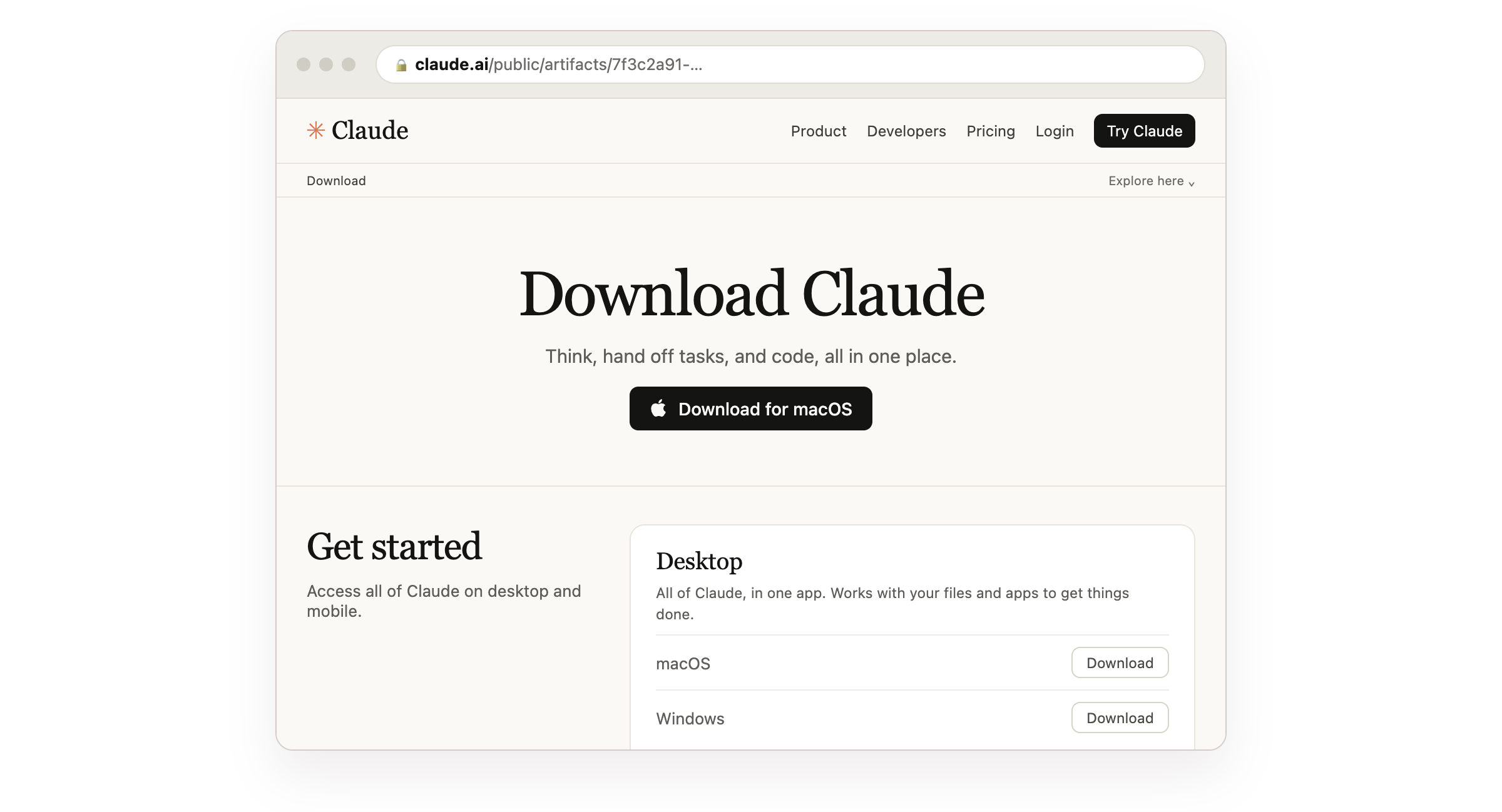
The link passed a URL check. The new hire did what security training says to do and checked the URL before clicking. It pointed to a real claude.ai/public/artifacts page. Since anyone can publish a Claude artifact there, the domain was genuine even though the page wasn't from Anthropic.
The download looked and worked like the real thing. The file, ClaudeDesktop.zip, had the real Claude app inside so it installed and opened normally. In the background, it ran an infostealer, a type of malware built to send sensitive company information to an outside server.
How was the fake Claude installer caught before anything happened?
The fake Claude installer was caught by CrowdStrike Falcon Complete, which Zip had deployed on all company devices before the new hire's first day. It detected the malware the moment it started running and took the laptop offline in real time, before any damage was done.

Caught the moment it made its move. Once the fake Claude installer ran, it did two things quickly. It started sending credentials and company data to an outside server, and it added itself to Windows Defender's exclusion list so Defender would stop scanning it. CrowdStrike flagged that behavior right away and blocked the data from leaving without anyone on the team having to watch for it.
Zip caught what antivirus alone would have missed. On a laptop with only built-in antivirus, the malware would have told Windows Defender to ignore it and kept running unnoticed. Zip Security's deployment technology activates CrowdStrike across all company devices and watches for exactly that kind of move. Learn more about Zip's endpoint security.
Security handled, so everyone can get back to work. Zip's platform spotted the alert and isolated the laptop remotely in just a few clicks, with no need to track down the device or walk anyone through taking it offline. From there, CrowdStrike Falcon Complete removed the malware and the affected passwords were reset. The new hire got back to ramping up and onboarding, and the IT team had a clean win to share with their CEO: caught, contained, and closed before it became an incident.
What it could have cost. If data had left the laptop, this could have become a reportable incident, with notices to every customer and to regulators. Instead, nothing was exposed and the workday carried on.
This isn't the first time we've seen a trusted name used this way. Another one of Zip's customers ran into a similar fake download, and we stopped it the same way.
What are the 5 most common phishing email examples?
Most phishing email examples follow the same pattern. They borrow a name you trust and ask for one quick action, like clicking, signing in, or paying. Here are the 5 types of phishing emails growing teams see most often:
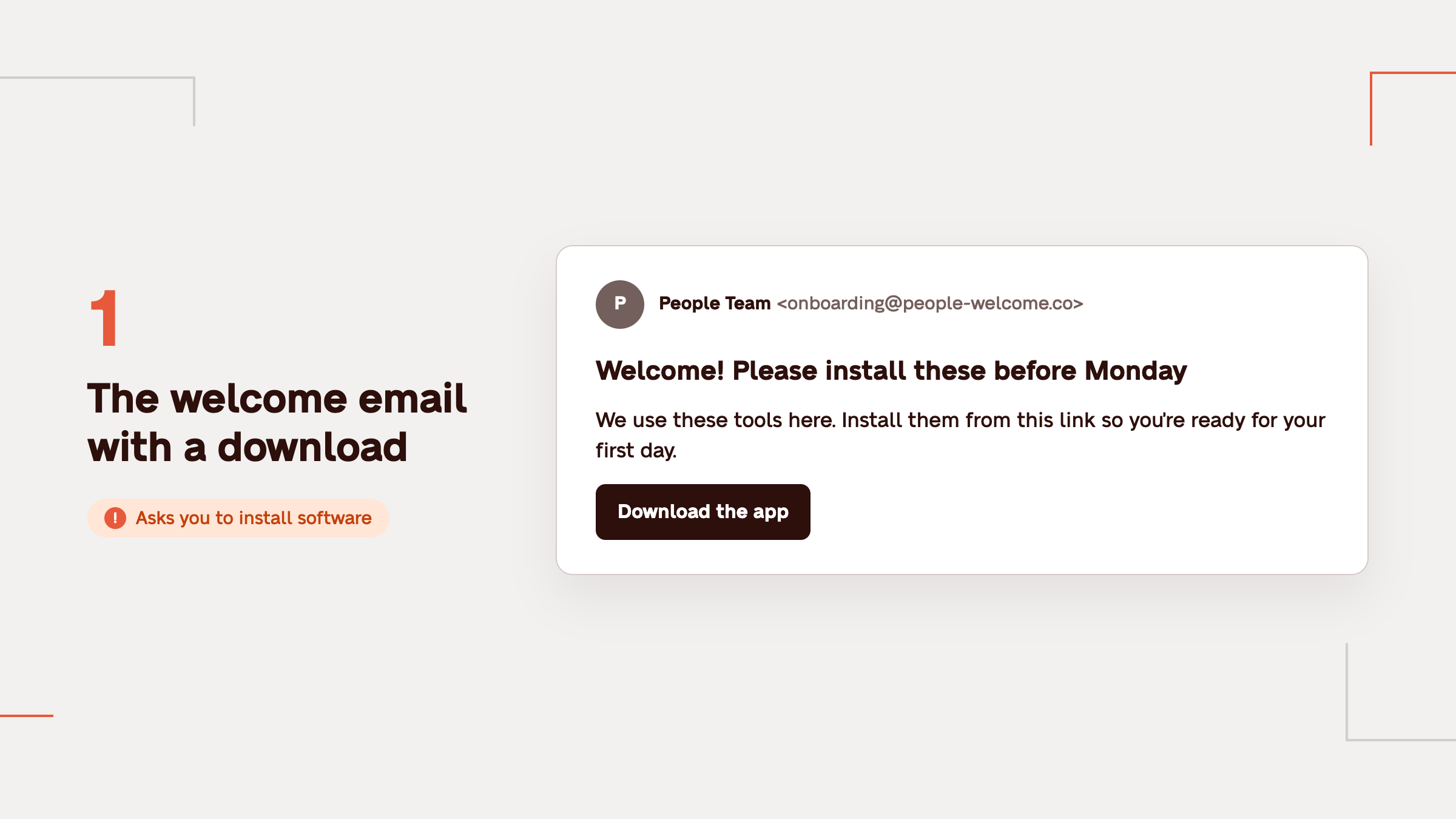
1. The welcome email with a download. "We use these tools here. Install them from this link so you're ready for your first day." New hires see it most in their first week.
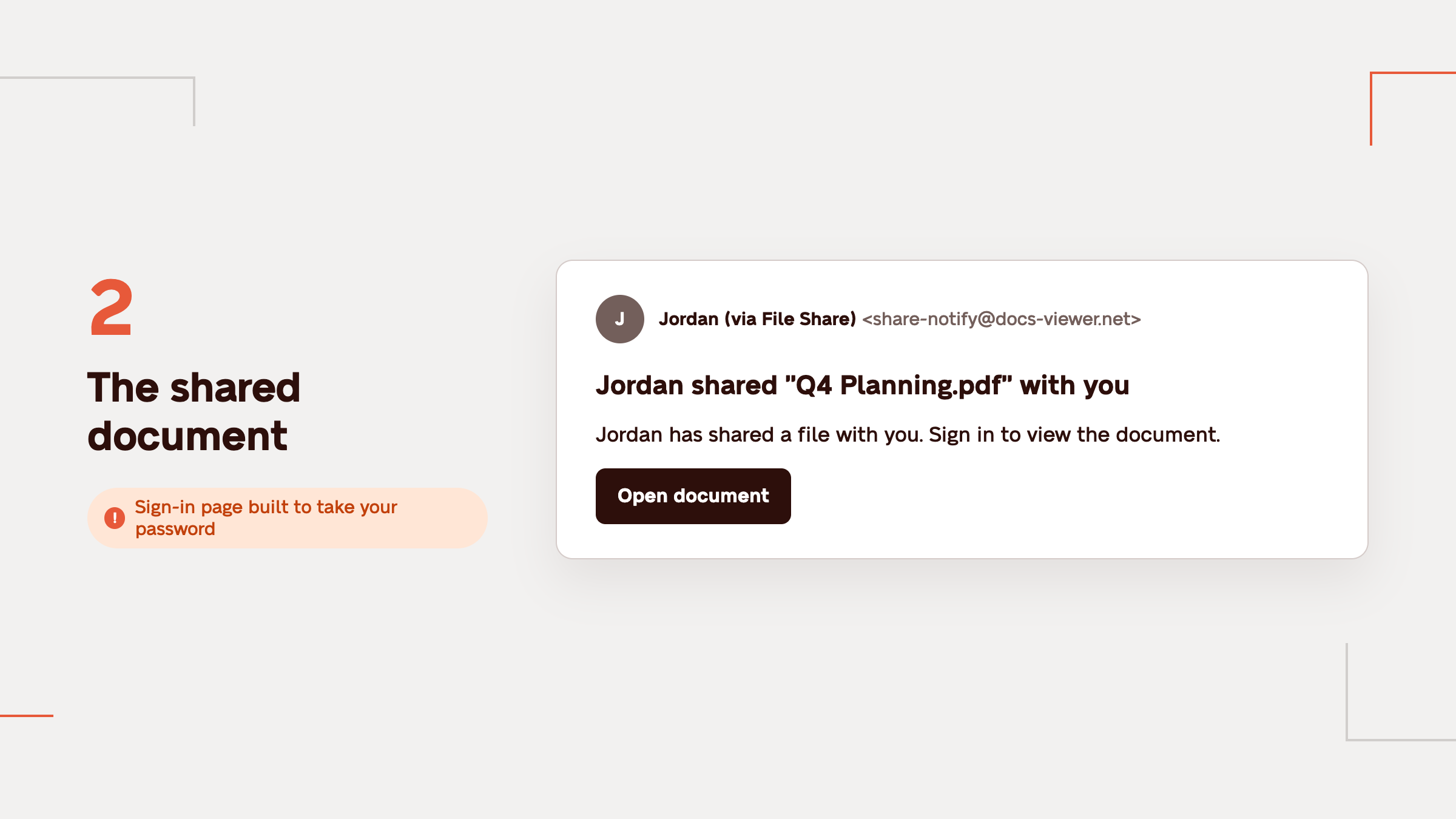
2. The shared document. "A colleague shared a file with you." The link opens a sign-in page that's built to collect a password.
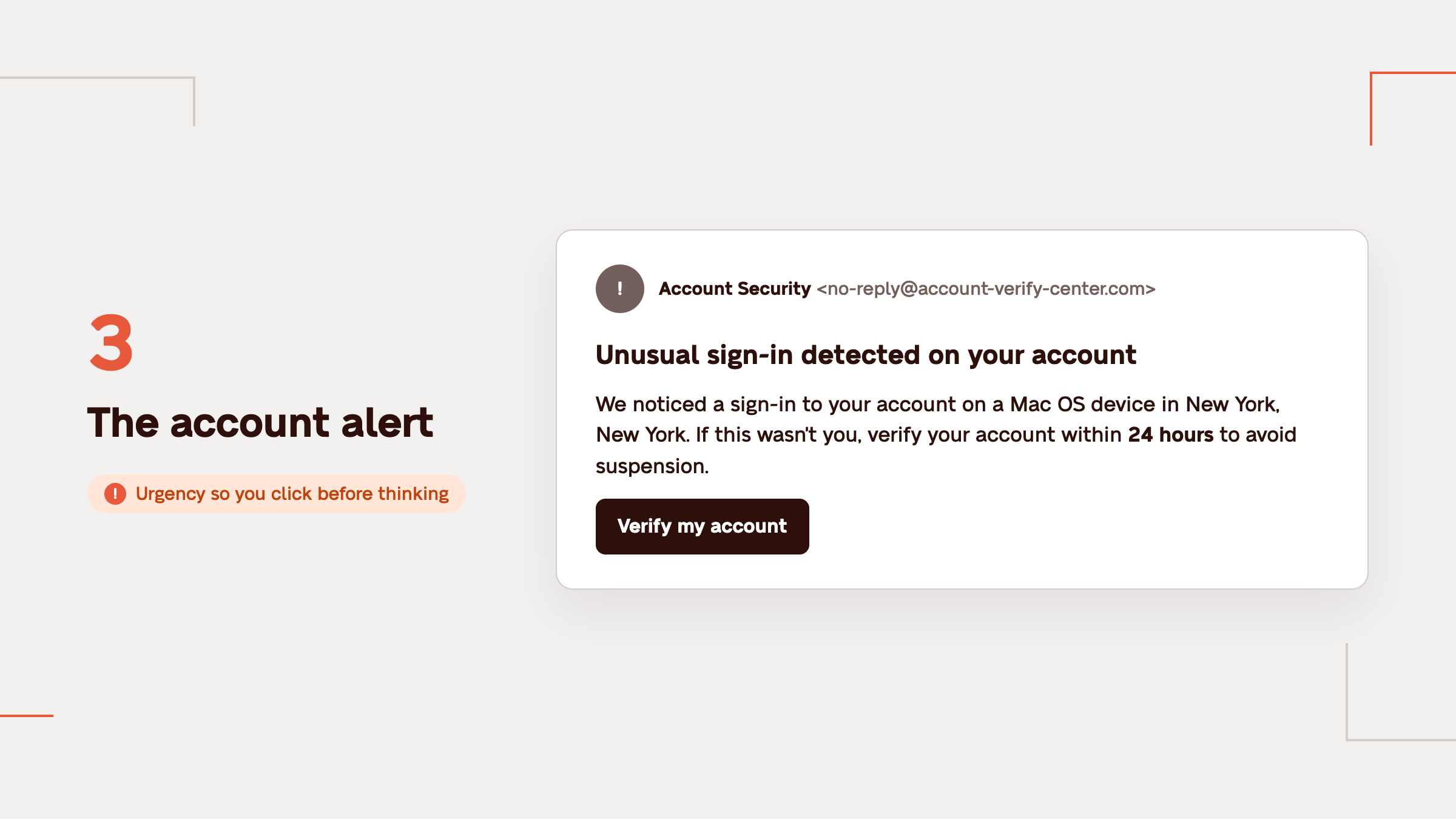
3. The account alert. "Unusual sign-in detected, verify your account." It uses a little urgency so you click before thinking.
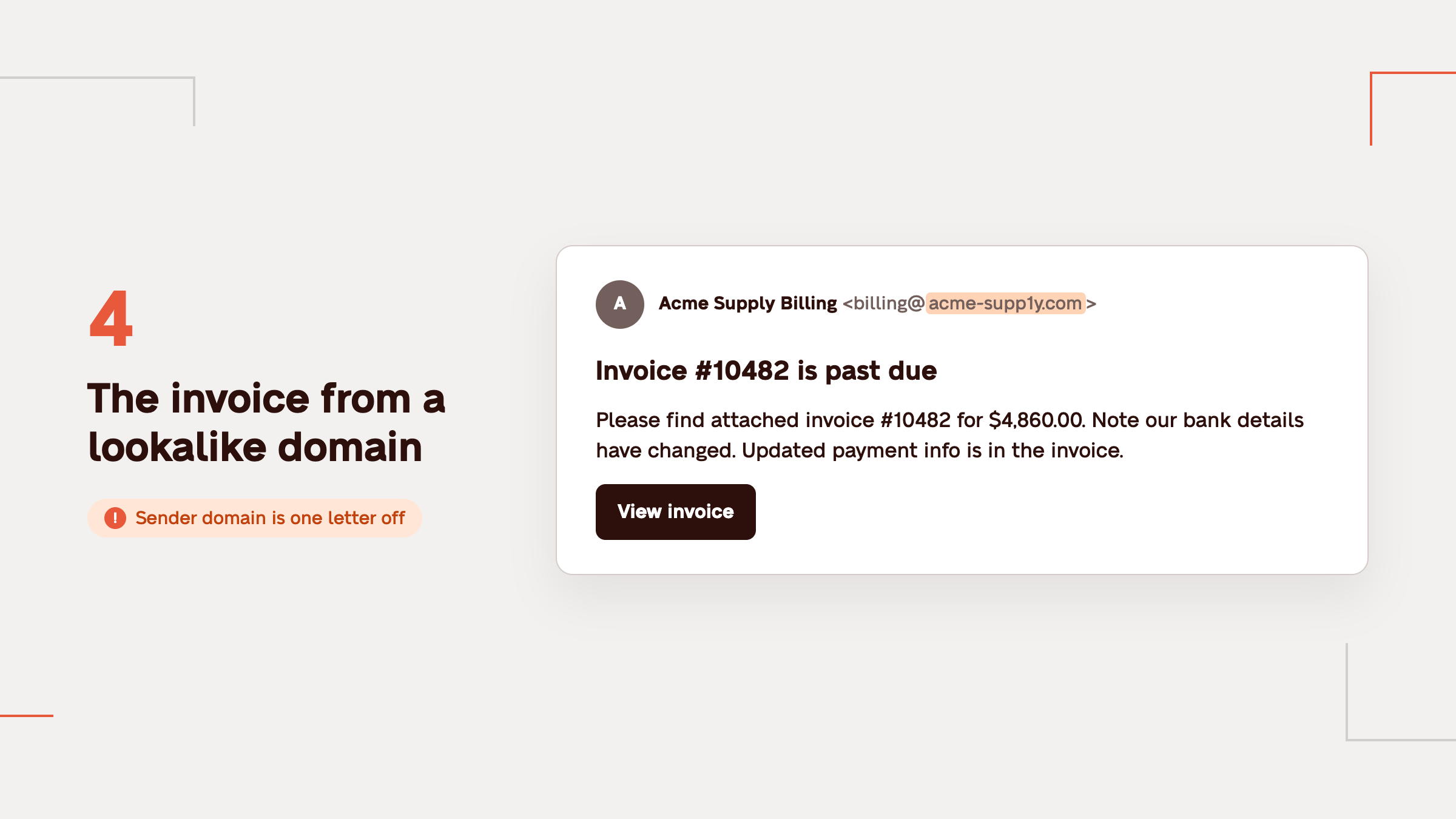
4. The invoice from a lookalike domain. A real vendor's name, a real-looking invoice, and a sender domain that's one letter off.
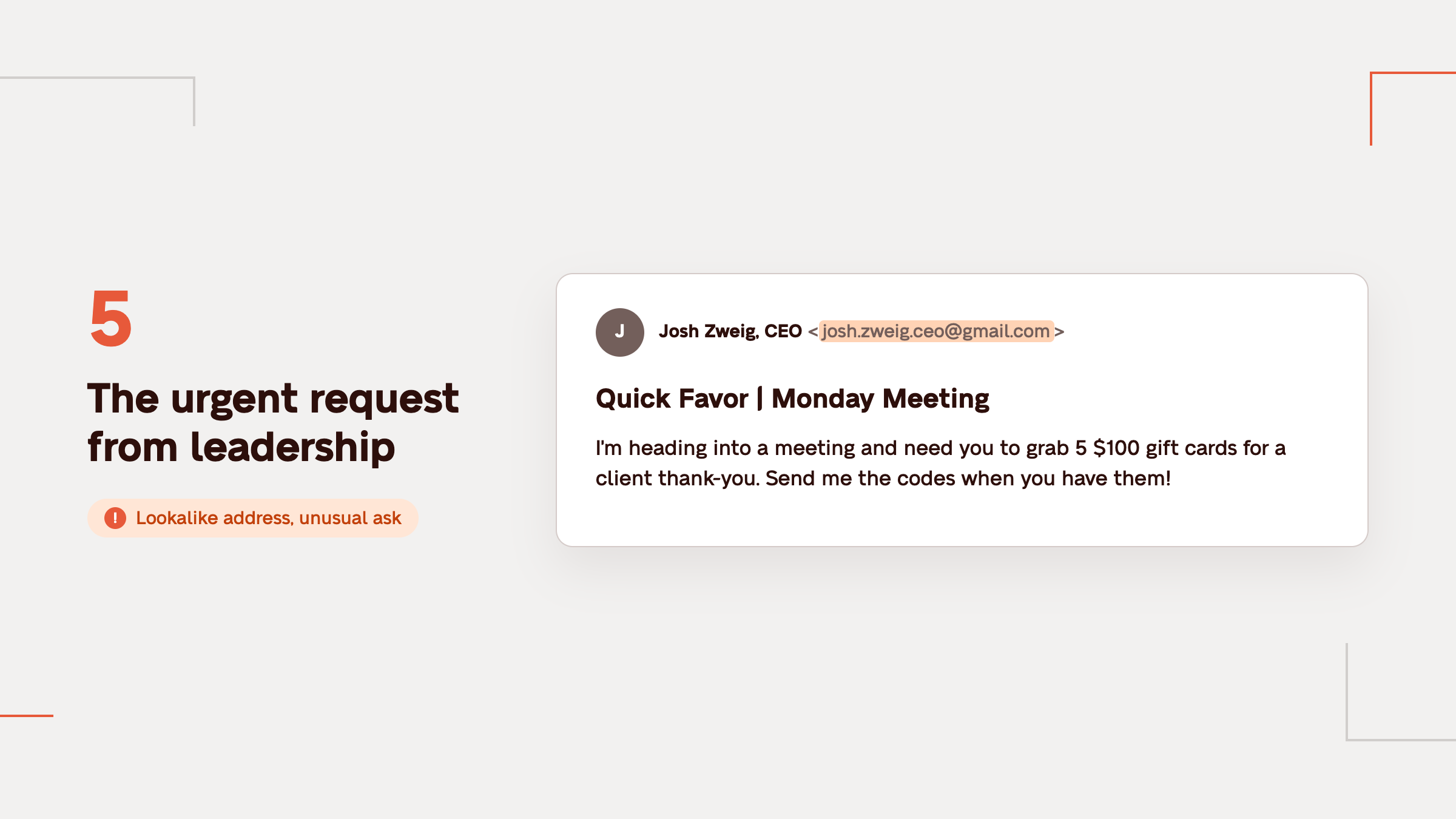
5. The urgent request from leadership. A message that seems to come from a founder or manager asking for a quick payment or gift cards. It often comes from a lookalike address or a real account someone else has gotten into.
What should you do if you clicked a phishing link or downloaded a fake app?
If you clicked a phishing link or downloaded a fake app, don't panic and don't try to fix it alone. Disconnect from Wi-Fi, stop using the laptop, and tell whoever handles security right away. Reporting quickly is what keeps a click from becoming an incident.
If you didn't download anything or type in a password, the risk is usually much lower. However, it's still worth a quick report.
On Zip-secured laptops, the first steps happen automatically: the device is isolated and Zip's team of security experts walks you through the rest.
How can growing teams protect themselves from fake downloads and phishing attempts?
Growing teams and small businesses can protect themselves when all company laptops are secured before day one and every alert is reviewed by security experts. That way, a click on the wrong link is a short alert rather than a security incident.
Every device protected before the first login. Three numbers should sit at 100%: devices enrolled in device management, devices running CrowdStrike, and devices with CrowdStrike's prevention policy turned on. One gap is all it takes.
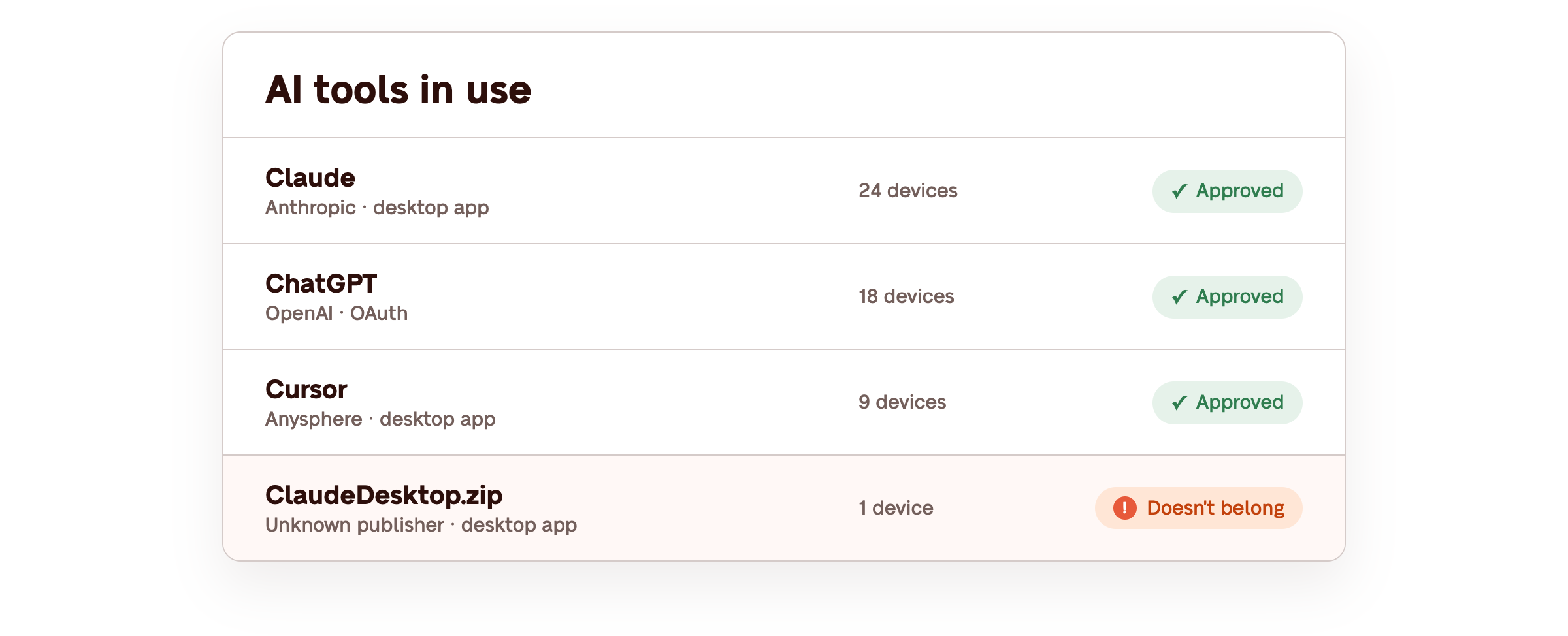
Visibility into AI tools. Zip's AI Visibility shows which AI tools your team actually uses, so one that doesn't belong stands out.
Alerts watched around the clock. With managed detection and response, experts review and resolve alerts 24/7. Your team gets a note that something was handled, not a queue of open alerts.
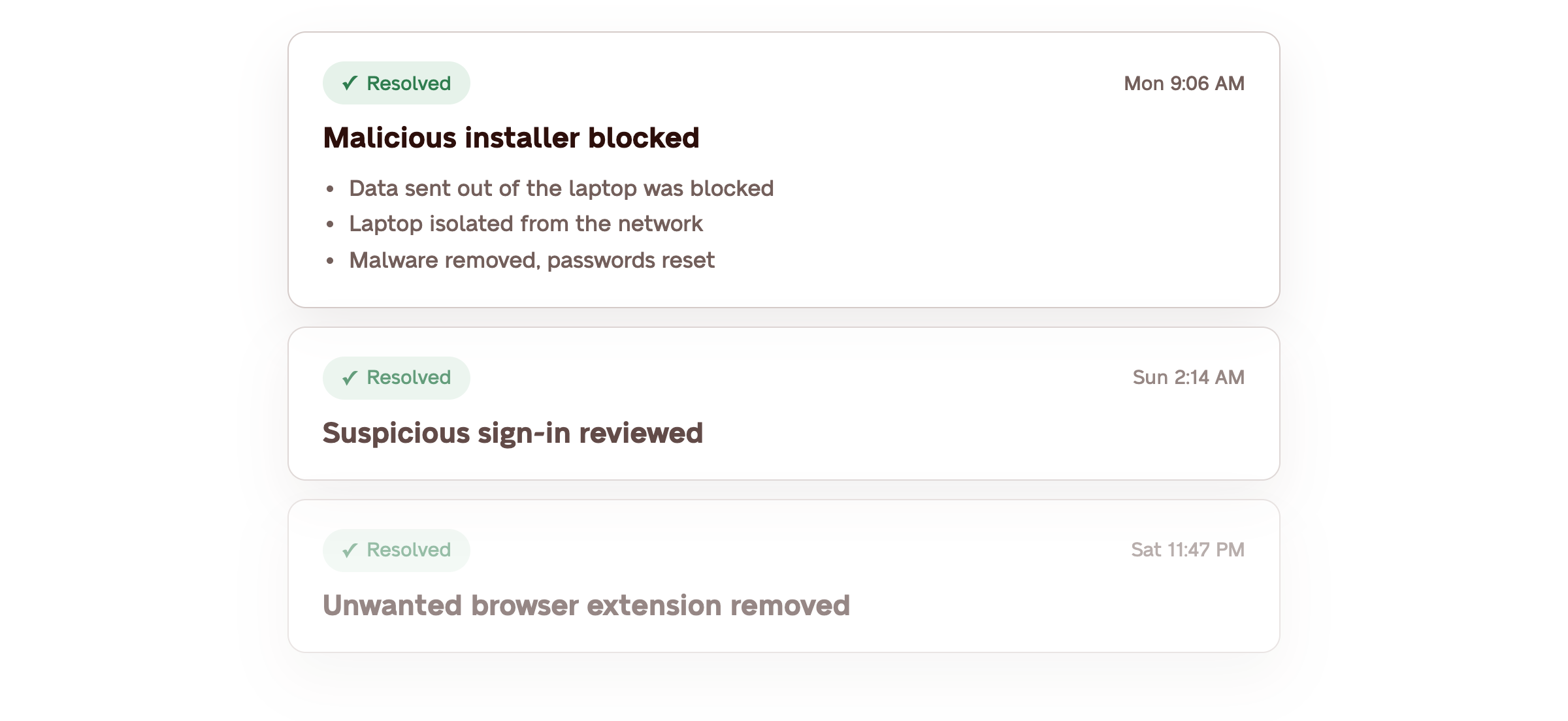
The new hire in this story clicked the fake Claude Desktop link like anyone would, and that was fine. Their laptop had CrowdStrike to stop the malware and a team watching the alerts to act on it right away. No customers were notified, and they spent the rest of their first week learning their job instead of talking to security.
For a lean IT team, or a company with no dedicated security staff, that response layer is what makes the difference. It's the gap between catching something in minutes and finding out three weeks later.
Get automatically protected in 14 days
FAQs
Why are people using AI for cyberattacks?
AI allows attackers to write convincing emails in seconds, copy a brand's look, and package fake apps like the ClaudeDesktop.zip in this story.
Popular AI tools also make convenient disguises, since so many teams are adopting them right now. What AI doesn't change is what stops it: a protected device and someone watching the alerts.
Is Claude Desktop safe to download?
Yes, from the right place. Claude itself isn't a virus; searches for Claude virus usually come from fake installers that borrow its name.
Claude Desktop is a real app from Anthropic, and the safe place to get it is claude.com/download. Type the address yourself instead of searching for it, skip sponsored results, and don't install it from links in emails or artifact pages.
How can you tell if an email from Claude is real?
To tell if an email from Claude is real, check who actually sent it, where the link goes, and what it asks you to do. Be careful with any email that asks you to install something from a link, even one on a real domain.
These are the same checks for how to tell if an email is phishing, whoever it claims to be from:
- Look at the address, not the name. A display name can say anything. The address behind it is harder to fake.
- Check where the link goes, then check what's on it. Hover before you click. In this story the URL was real, which is why the next check matters more.
- Notice what it's asking for. When an email asks for an action, go to the source directly instead of using the link.
Are Claude artifact links safe?
A claude.ai/public/artifacts link is a page someone made with Claude and chose to publish, so it shows whatever its creator put there. The domain is Anthropic's, but the content isn't.
Artifact links are fine for reading, but don't download software from one. Anthropic does take down harmful pages, but new ones can go up just as quickly, so get Claude Desktop only from claude.com/download.
Would email filters or antivirus have caught the fake Claude installer?
Most likely not. The phishing email got through because the link pointed to a real claude.ai page, which is exactly what filters trust. Once the installer ran, it added itself to Windows Defender's exclusion list, so Defender would have stopped scanning it.
CrowdStrike Falcon Complete caught it by watching what the file did, which is the main difference between antivirus and Zip's endpoint detection and response.
What is AI phishing?
AI phishing is phishing that uses AI in one of two ways. Attackers use AI to write more convincing emails and package fake AI apps faster, like the ClaudeDesktop.zip in this story. They also use the names of popular AI tools, like Claude and ChatGPT, as disguises in AI phishing emails because so many teams are installing them right now.
What should you do if your email is hacked?
From a device you trust, change your email password, turn on two-factor authentication, and sign out of every other session. Let your security team know, and if messages went out from your account, send a short heads-up to the people who got them.
If your company is protected by Zip, you don't have to do this alone. Zip's team can help lock the account in a few clicks, review sign-ins, and walk you through the rest.
In this article
Related articles
Fake Claude Installer Malware: What We Found and What to Do
July 27, 2026
Case Study: Zip Security & Observa defend SaaS company against malware tied to Russia
October 18, 2024
EDR vs. Antivirus: Understanding the Difference and Choosing the Right Approach
July 24, 2026
Learn more
Questions about this article? Get in touch with our team below.