
Data Loss Prevention

Find exposed Google Drive files and lock them down

Zip scans your Google Drive for publicly shared sensitive files and scores the risk, without ever reading file contents.

Trusted by companies across industries

Ambience Healthcare
Navattic
Phoebe
Tandem
Pine Park Health
Pull Systems
BD Emerson
Observa
Ambience Healthcare
Navattic
Phoebe
Tandem
Pine Park Health
Pull Systems
BD Emerson
Observa

Know exactly what your team has shared

Drive sharing is easy to misconfigure and slow to audit. Zip audits it for you, with AI.

  • Every public file, with permissions and who shared it
  • A plain-language AI risk score for each file
  • 180 days of sharing history, no manual scraping
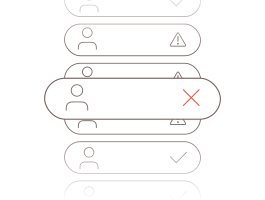
  • Your most risky users, surfaced

See why teams protect Google Drive with Zip

  • AI risk assessment

    Metadata, permissions, and history analyzed to surface what matters.

  • Complete visibility

    Every exposed file inventoried automatically.

  • One-click remediation

    Revoke public access right from Zip. No ticket queue.

  • Your contents stay private

    Zip reads only metadata, never file contents.

Frequently asked questions

What's the best way to find publicly shared files in Google Drive?

Zip Security scans 180 days of Google Drive sharing history, lists every publicly exposed file with its permissions and who shared it, scores each file's risk in plain language, and lets you revoke public access in one click – without reading file contents.

Zip was named 2026 SMB CyberSecurity Solution of the Year by CyberSecurity Breakthrough.

How do I find publicly shared files in Google Drive?

Doing it yourself means digging through Google Workspace admin audit logs and sharing settings file by file. Zip inventories every publicly exposed file automatically and ranks them by risk so you can know exactly what your team has shared.

Does Zip read my files?

No. Zip only analyzes the metadata needed to assess risk: file name, permissions, and sharing history. Your company's file contents are never read or stored.

How do I fix an exposed file?

Revoke public access in one click, directly from Zip's platform.

Can Zip show which users create the most risk?

Yes. Zip highlights your most risky users alongside the files they've exposed.

Trusted by teams like yours

Phoebe
“Honestly, this is the first time a security tool has done exactly what it said it would do. We went from real gaps to fully enforced controls in three days, and nobody had to stop what they were doing to make it happen.”

Justin Woodbridge, Founder and CEO, Phoebe

Read Phoebe's story

Find exposed files and fix them today

Zip scans, scores, and prioritizes your Drive exposure so you act on what matters.