MFA for Small Business: How to Deploy Multi-Factor Authentication Across Every Employee
Most small businesses enable MFA for the obvious accounts and stop. Learn how to pick the right methods, close coverage gaps, and meet compliance.
Learn more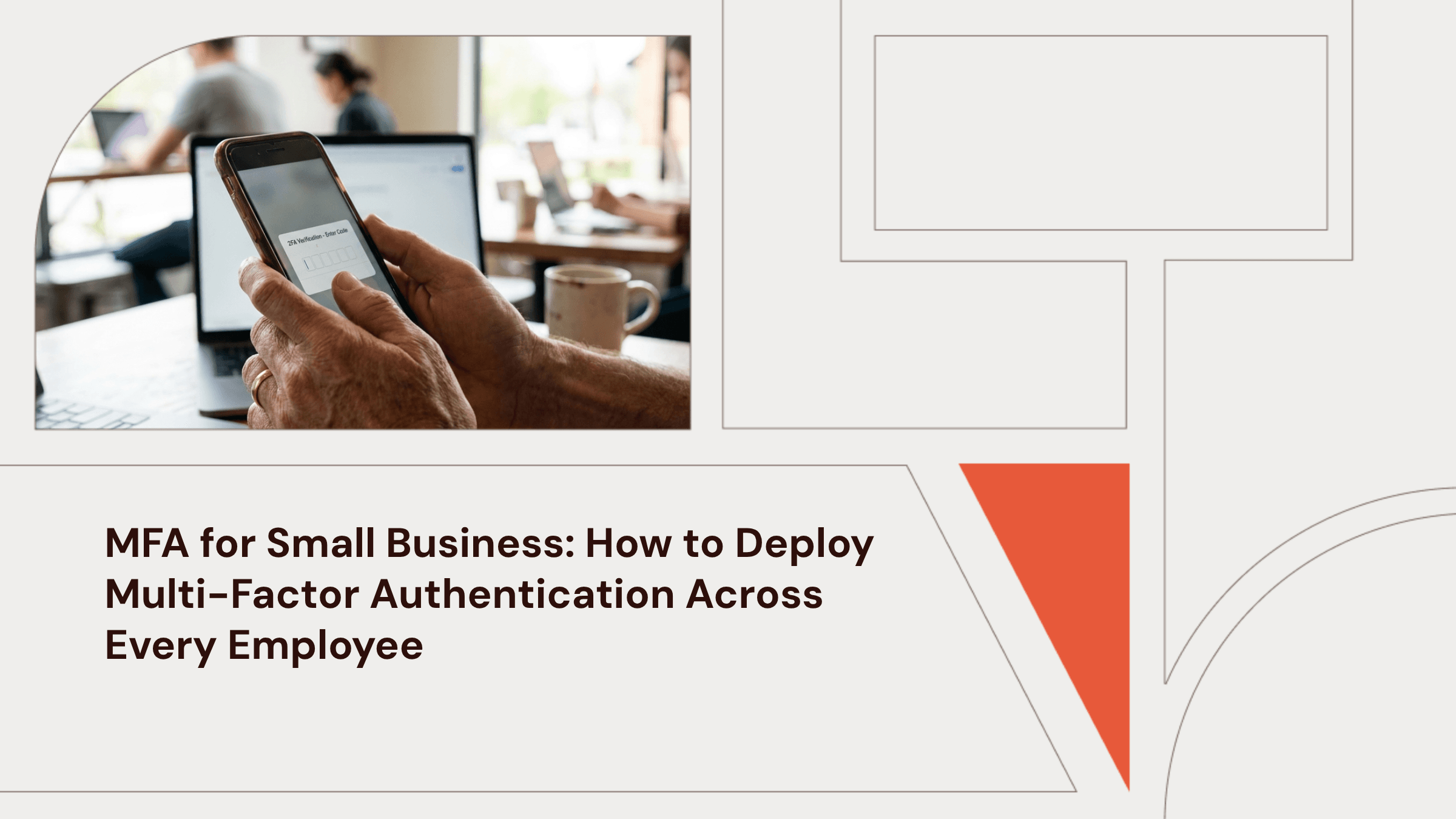

Josh Zweig
June 5, 2026
In this article
Key Takeaways
- Multi-factor authentication (MFA) coverage drifts after deployment. New hires never complete enrollment. Phone replacements break authenticator registrations. Exception lists grow without expiration dates. Monthly identity provider audits surface the gaps before an insurer or auditor finds them for you.
- MFA can block the bulk of phishing attacks and all automated bot attacks. Stolen credentials are the top hacking method in 33% of small-business breaches, virtually identical to the 32% rate at large enterprises.
- Not all MFA methods offer the same protection. Attackers can defeat SMS codes and push notifications. Hardware keys and passkeys are what CISA recommends as phishing-resistant authentication.
- Legacy email protocols can bypass MFA entirely. Disabling them matters as much as enabling MFA itself.
- Cyber insurers now treat MFA as a hard requirement. Coalition offers a deductible discount when you require MFA on business email. Corvus requires MFA on remote, email, and admin access as a condition of binding the policy.
Multi-factor authentication (MFA) is the single most effective control against stolen credentials, which show up in 22% of all breaches per the Verizon Data Breach Investigations Report (DBIR). Most small businesses turn it on for email and their identity provider (IdP), then stop. The dashboard reads "enforced," but legacy email protocols like IMAP, service accounts, and unsanctioned apps sit outside that policy. The work is enforcing it across every account.
Then a security questionnaire lands mid-deal, and question 14 asks whether you enforce MFA on every account, including admin, remote access, and cloud applications. You turned it on in Google Workspace last year, and your CTO set up Okta, but "pretty sure" won't satisfy the enterprise buyer reviewing your answer. Getting MFA right means choosing the right methods, sequencing the rollout so it doesn't stall, closing the gaps where deployments break down, and keeping coverage from drifting after launch.
Want MFA enforced across every account in 14 days or less? Get a quote from Zip Security.
The Credential Problem Is the Same at Every Company Size
Small businesses face the same credential attacks as the Fortune 500. Attackers often target the tools and partnerships you share with larger firms, regardless of your employee count. Stolen credentials are the top hacking method in 33% of small-business breaches, virtually identical to the 32% figure for large organizations.
The insurance data confirms how expensive credential theft has become. The Coalition 2026 Claims Report found that business email compromise (BEC) and funds transfer fraud together originated 58% of all 2025 cyber claims, with an average claim severity of $116,000. BEC is itself a credential attack. The attacker phishes their way into an executive's inbox, then sends payment-redirect instructions from inside. Across ransomware claims, stolen credentials were the most common way attackers got in, at 47%.
A password stops helping the moment it leaks, gets phished, or gets guessed. A second factor turns credential theft into a dead end before the attacker reaches data. CISA's guidance cites research showing that MFA can block 100% of automated bot attacks and 99% of bulk phishing attacks. Yet only 54% of small businesses say they're using it.
Pick the Right MFA Methods for Your Team
A tiered approach works for most teams. Use authenticator apps with push and number matching for the general workforce. Use FIDO2 hardware keys for admins, executives, and anyone accessing financial systems or production infrastructure. This aligns with the CISA/NSA/FBI joint phishing guidance, which prioritizes phishing-resistant MFA for administrator and privileged accounts, accounts with access to e-discovery tools, and accounts with broad access to customer or financial data.
Allowing SMS account recovery weakens even a phishing-resistant primary method. Attackers target the weaker recovery path. Apply that tiered approach across the full authentication chain, including account recovery.
CISA's phishing-resistant MFA fact sheet names phishing-resistant MFA the gold standard. Phishing-resistant methods include Fast IDentity Online 2 (FIDO2) hardware keys (like YubiKeys), platform authenticators (Touch ID, Windows Hello), and passkeys. These methods cryptographically bind the authentication to the legitimate website's domain, so if an attacker builds a fake login page, FIDO blocks the attempt. There's nothing for the attacker to intercept or replay. SIM swaps, push bombing, and adversary-in-the-middle (AiTM) relays don't work against FIDO2 because the cryptographic handshake fails on a spoofed domain.
Non-phishing-resistant methods include SMS codes, push approval notifications, and time-based one-time passwords (TOTP) from authenticator apps like Google Authenticator or Authy. Attackers can intercept all three:
- SMS codes are vulnerable to SIM swaps (an attacker convinces your carrier to transfer your number) and SS7 protocol exploitation (intercepting the text in transit). CISA recommends SMS last-resort when stronger options aren't available.
- Push notifications fall to push bombing. Attackers trigger dozens of approval prompts until someone taps "Accept." Number matching (confirming a code on screen) helps but AiTM proxies can relay the matching number in real time, so the user still confirms a code the attacker controls. CISA's Cybersecurity Performance Goals (CPG v2.0) tier push MFA with number matching at Tier 2, not Tier 1.
- TOTP codes are vulnerable to AiTM attacks, where a phishing site relays the code you type to the real login page in real time. NIST SP 800-63B-4 states that authenticators requiring manual code entry "SHALL NOT be considered phishing-resistant."
The cost gap between tiers is narrower than most teams assume. Authenticator apps are free. FIDO2 hardware keys run $25 to $50 per employee, and most modern IdPs now support passkeys natively at no additional per-user cost. The real cost shows up when you pick the wrong method and have to re-enroll the company on something better six months later.
The Traditional 16-Week Rollout (And Why Most Small Businesses Stall Out)
Most small business MFA rollouts take a full quarter because the playbook targets enterprise IT teams. Each phase (inventory accounts, evaluate procurement, run pilots, then enforce in stages) generates parallel configuration work across Jamf, Microsoft Intune, CrowdStrike, and the IdP. Lean teams don't have the bandwidth to keep up, the calendar slips, and exception lists accumulate.
The standard rollout runs across six phases, each with its own metric for being "done."
| Phase | Activity | Success Metric |
|---|---|---|
| Weeks 1-2 | Inventory all accounts and apps; configure IdP (Okta, Entra ID, or Google Workspace) for MFA policies | Complete account inventory; IdP MFA policies drafted |
| Weeks 3-4 | Pilot enrollment with IT and willing early adopters | Pilot group at 100% enrollment with two authenticators per person |
| Week 5 | Enforce MFA on all admin and privileged accounts | Zero admin accounts without MFA |
| Weeks 6-8 | Workforce-wide registration; distribute hardware keys to priority roles | 90%+ registration rate |
| Weeks 9-10 | Hard enforcement on priority apps (email, VPN, financial systems) | MFA required on all Tier 1 apps; no bypass exceptions without written approval |
| Weeks 11-16 | Roll enforcement to remaining apps; federate single sign-on (SSO) for unsanctioned SaaS | Full app coverage; legacy protocols disabled |
NIST SP 800-63B-4 defines how authentication factors combine at each assurance level, but doesn't require a backup authenticator per factor. Operationally, enrolling a backup authenticator at onboarding is still a best practice, so a lost phone or hardware key doesn't create a high-risk recovery pathway.
This rollout usually breaks down in four places:
- Legacy protocols bypass MFA entirely. IMAP, POP3, and SMTP AUTH authenticate before the IdP can insert an MFA challenge, so a Conditional Access policy enforcing MFA cannot apply to an IMAP4 connection. Microsoft found that legacy authentication accounts for over 97% of credential stuffing attacks and over 99% of password spray attacks.
- Exception lists accumulate without expiration. Temporary exclusions persist indefinitely, creating MFA-free access paths through the same infrastructure that enforces MFA elsewhere. The NCSC names this an MFA anti-pattern.
- Service accounts trip on human-facing policies. Automated accounts can't complete an interactive MFA prompt, so admins either exclude them wholesale or watch workflows break, creating another unmonitored gap.
- Unsanctioned SaaS slips through without SSO. When an employee signs up for a tool using their work email and a personal password, that app sits outside your IdP's enforcement scope. The NSA/CISA joint IAM guidance warns that SSO without strong MFA underneath turns a single stolen password into a master key.
You grant exceptions for protocols MFA can't reach. The exceptions linger without monitoring, and the dashboard keeps reporting "enforced" while your real coverage shrinks. By week 16, you have a policy document and a partially enrolled fleet. An insurer flags that gap during a claim review, or an enterprise buyer flags it during a questionnaire re-audit.
How Zip Closes the Four Failure Modes in 14 Days
Zip clients reach fully enforced MFA in 14 days or less, and the four failure modes close on day one.
Zip pushes a pre-configured security baseline through the IdP's API and enforces it continuously, with admin and workforce tiers deploying in parallel rather than sequentially. The traditional rollout takes 16 weeks just to surface those failure modes, by which point the dashboard already shows "enforced" while real coverage drifts.
Conditional Access blocks legacy protocols by default, which means IMAP, POP3, and SMTP AUTH don't have a path around MFA. Every exception ships with a built-in expiry, so temporary exclusions close themselves rather than accumulating. Service accounts run on their own identity policy that swaps interactive MFA for compensating controls. Zip federates unsanctioned SaaS to your IdP automatically and flags whatever it can't federate in the dashboard for remediation.
Zip has documented client environments where the MSP dashboard reported 100% CrowdStrike coverage while the actual rate was 45%. The traditional rollout often produces attestation. Continuous enforcement produces real coverage.
Ambience Healthcare scaled from 15 to 150+ employees with only one security hire, maintaining visibility across MFA, device coverage, and compliance evidence throughout the growth.
MFA and Compliance: What Each Framework Requires
Controls are what make compliance real in practice. Compliance frameworks don't make controls real. Companies that fail this test answer security questionnaires with whatever closes the deal, then cannot back it up when an incident triggers disclosure or an insurer reviews the claim.
In late March 2026, independent analyses of Delve's leaked SOC 2 reports found that 493 out of 494 contained near-identical boilerplate language and that Delve generated audit conclusions before observation periods ended. Y Combinator severed ties and LiteLLM, a Delve customer, now faces litigation as a defendant. A SOC 2 badge does not mean the vendor enforces MFA. It means an audit report marked a control as effective.
Many frameworks reference MFA without prescribing the implementation method, which produces the underspecification you see in HIPAA and business associate agreement (BAA) work.
| Framework | Requirement | Scope | Small Business Trigger |
|---|---|---|---|
| SOC 2 | CC6 logical access and role-based access criteria | Logical access controls; auditors commonly expect MFA in practice, but the criteria are principle-based rather than prescriptive | Any SOC 2 audit |
| HIPAA | 45 CFR 164.312(d) | All electronic Protected Health Information (ePHI) access; technology-neutral, no specific MFA mandate | All Covered Entities and Business Associates; no size exemption |
| PCI-DSS 4.0.1 | Req. 8.3, 8.4.1-8.4.3 | All access to cardholder data environment by all user types, including third parties | Any entity storing, processing, or transmitting cardholder data (mandatory since March 31, 2025) |
| NIST 800-171r3 | 3.5.3 | MFA explicitly named; local and network access to privileged accounts, and network access to non-privileged accounts | Federal contractors handling Controlled Unclassified Information |
| Cyber insurance (Coalition) | Underwriting + deductible incentive | Business email MFA; deductible reduction when MFA is enabled and required | Surplus lines policyholders |
| Cyber insurance (Corvus) | MFA requirement | Remote access, email access, administrative access | Smart Cyber/Tech E&O applicants |
Coalition lists MFA as the first of five requirements and offers a deductible discount for MFA on business email. Corvus goes further. MFA on remote, email, and admin access is a hard requirement, and Corvus explicitly excludes certificates and keys from their definition of MFA.
Before attesting MFA coverage on any questionnaire, run an internal auth surface audit. Check your IdP registration report, confirm you've disabled legacy protocols, and review your exception list. The answer you give needs to be the answer you can defend, which means the controls have to keep running past day one.
Three Forces Pull MFA Coverage Out of Compliance
According to Zip Security's 2026 Security Survey, 64.5% of companies had discovered unsecured devices they thought were covered. MFA coverage drifts from three directions the same way, the moment deployment ends.
Organizational change. New hires miss enrollment, departing employees leave registered authenticators behind, and role changes promote accounts to admin scope without upgrading their method requirements.
IT infrastructure drift. New phones strand TOTP and push tokens on old devices, OS updates reset platform authenticators like Touch ID and Windows Hello, and IdP version changes shift default policy behavior in ways admins don't always see.
Active threats. Push bombing tactics get more efficient with each iteration, and AiTM phishing kits like EvilProxy have lowered the technical bar so attackers without engineering skills can run real-time MFA-bypass attacks at scale.
Three ongoing practices keep coverage where you put it:
New employee onboarding. Enroll MFA on Day 1 before granting any system access. Revoke registrations and disable accounts on departure.
Monthly coverage audits. Run your IdP's registration report to catch accounts without MFA, using the User Registration Details report in Entra ID or Admin Console > Reporting > User Reports > Security in Google Workspace. Cross-reference against your active employee roster to catch orphaned accounts from missed offboarding.
Quarterly exception reviews. Audit every exclusion. Confirm each has a current business reason, close expired ones, verify admin accounts aren't on SMS-only methods, and confirm compensating controls for service accounts.
MFA fatigue showed up in 26% of identity attacks per the SANS 2026 ITDR survey, so pair MFA with identity threat detection on sign-in logs to catch push bombing patterns, impossible-travel logins, and credential stuffing.
MFA Is One Layer in a Continuously Enforced Security Program
Identity, device coverage, endpoint detection and response (EDR) health, and compliance evidence all rely on the same principle. You configure each control once, then verify continuously that it's still running.
Zip is a Built and Managed Security Platform (BMSP) that runs this whole program from one place. It configures and enforces identity policies on top of Google Workspace, Entra ID, or Okta; unifies mobile device management (MDM) and EDR coverage through Jamf, Microsoft Intune, and CrowdStrike; and produces audit-ready evidence from live system state. When the SOC 2 auditor asks about MFA coverage, the answer comes from the same platform that tracks every other control, drawn from the current system state.
For fractional CISOs deploying MFA across multiple client environments, Zip enforces the same identity baseline from one dashboard instead of configuring each client's IdP from scratch. BD Emerson, an MSP/vCISO firm running Zip across their client book, eliminates per-client MFA setup as a recurring scoping project. Your clients get phishing-resistant MFA, legacy protocol blocking, and continuous coverage audits without you staffing the rollout separately for every engagement.
Get a quote from Zip and start your 14-day deployment.
FAQs About MFA for Small Business
What's the Difference Between 2FA and MFA?
Two-factor authentication (2FA) requires exactly two factors, such as a password plus a code from your phone. Multi-factor authentication (MFA) requires two or more factors, which could include biometrics, hardware keys, or location-based checks on top of a password. In practice, small business deployments often start with 2FA. People frequently use the terms interchangeably.
Is SMS-Based MFA Still Acceptable for Small Businesses?
CISA has described SMS and voice MFA as a last resort in earlier guidance, while more recent guidance recommends avoiding or eliminating SMS-based authentication. SMS codes are vulnerable to SIM swaps and SS7 protocol interception. Authenticator apps with number matching are a better interim step, but the target state is FIDO2 hardware keys or passkeys for privileged accounts.
Does Cyber Insurance Require MFA?
Increasingly, yes. Corvus requires MFA on remote, email, and administrative access and also describes MFA-related binding subjectivities. Coalition offers a deductible reduction for policyholders who have MFA enabled and required on business email. Both carriers publicly emphasize MFA as a key security control.
How Do You Enforce MFA on Apps That Don't Support It Natively?
Federate them through your identity provider using SSO. When an app authenticates through Okta, Entra ID, or Google Workspace, the IdP's MFA policy applies to that login. For apps that can't support SSO, document the gap, get written risk acceptance from leadership, and apply compensating controls such as IP allowlisting or stronger password requirements. CISA recommends identifying systems that do not support MFA and developing a plan to upgrade or migrate them to systems that do.
In this article
Get started with Zip
Learn more about Zip's MDM, EDR, IT, and Compliance solutions and we'll find the right fit for you.
Related articles

CISO as a Service: What It Is, What It Costs, and How to Choose One
July 9, 2026
Cyber Insurance Security Requirements: What Your Insurer Expects and What to Deploy
July 9, 2026
What a Vendor Security Assessment Covers (And How to Pass Without a Security Team)
July 9, 2026
Learn more
Questions about this article? Get in touch with our team below.