


Protect your company without stretching your team.
Zip brings your security tools together into one system, then guides you through the essentials step by step, handling the setup so your security is strong, even if you're not a security expert.

No IT or security background required to run security day to day
Every new device starts secure by default
Fully operational in 14 days






Effective security your existing team can manage.
Good security is strong, comprehensive. But it’s often complicated.
Zip removes the guesswork, so security is set up correctly from day one and stays that way as things change.
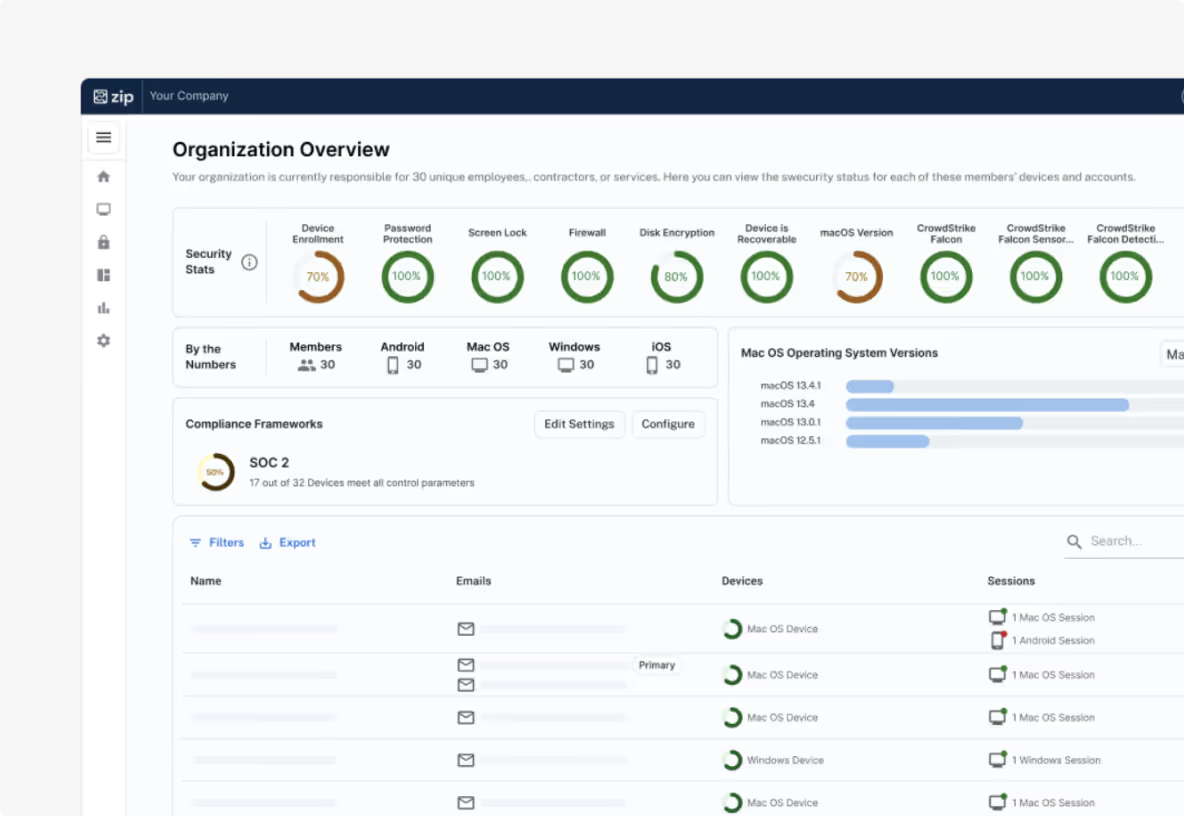
Get control of your accounts and devices
To protect your business, you need to know who has access and what devices they’re using.
Manage laptops with MDM (Intune and Jamf) and logins with your IDP (Google, Microsoft, Okta)
Lock or wipe devices remotely
Maintain positive control of accounts and associated hardware
.avif)
Deploy your security baseline
Once devices and accounts are organized, Zip deploys the controls every company needs.
Automatically configure device security using encryption and key escrow
Implement identity security (like 2FA) with the touch of a button
Deploy CrowdStrike or antivirus consistently, with clear visibility
Detect and respond to threats
Even strong security baselines need monitoring.
Detect unusual logins
Block malware instantly
Isolate compromised devices
.avif)
Why teams choose Zip
Say goodbye to tool sprawl and steep learning curves.
No IT team needed. Here's how.

Everything in one place
One dashboard to manage Intune, Jamf, CrowdStrike, and more, so you’re not jumping between tools or settings.

Built–in, reliable automation
Routine IT and security work runs automatically, reducing mistakes and saving your team time.

Software, handled for you
When your team needs new security or IT tools, Zip procures, configures, and deploys them with no rollouts to manage.

Built by security experts
Clear language, smart defaults, and guided setup make Zip easy to use for everyone — no security background required.

Fast to launch
From kickoff to fully operational in just 14 days.

One clear control center
See what’s protected, who has access, and what needs attention, all in one place.
What to expect in your first 14 days
Zip sets up your tools
Configure your devices, security, access, and policies correctly, from day one.
Zip connects everything
Your systems work together instead of living in silos.
Zip automates the rest
Streamline your day-to-day IT, security, and compliance.